Budget without giving any app your bank login.
Wally keeps your budget on your phone. Tell it when you get paid, add your bills, and your balance updates itself.
- No bank login, nothing to sync
- Tap to Pay purchases log themselves
- Ask the assistant “Where am I overspending?”
- Shared household budgets
- Face ID lock
- 15 languages


Scan with your phone camera to get Wally
4.8 on the App Store · Free to start
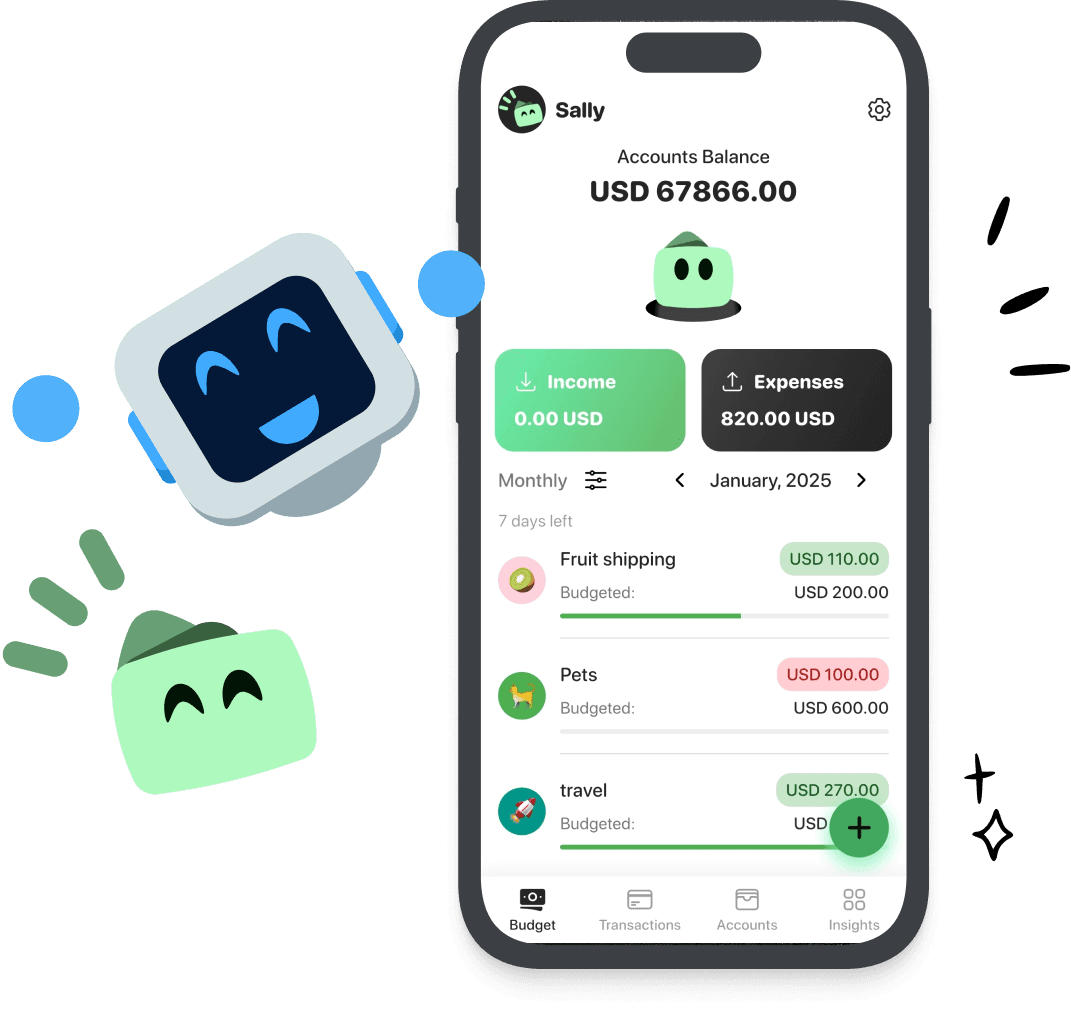

Budgeting that
actually feels easy
Add your expenses
Log what you spend in seconds — organized by category automatically
Set your budgets
Create budgets for each category and Wally tracks it all for you
Watch your savings grow
See your progress at a glance and stay on top of your financial goals
Everything you need to budget better
Simple tools that work together to give you full control over your finances

Expense Tracking
Log your spending quickly and see where your money goes, organized by category.

Budget Management
Set monthly budgets for each category and get notified before you overspend.

Bill Reminders
Never miss a payment. Wally reminds you when bills are due so you stay on track.

Income & Expenses
See your full financial picture with income and expense tracking side by side.

Multiple Accounts
Track spending across all your accounts — cash, bank, credit cards — in one place.

Beautiful Reports
Visualize your spending patterns with clean charts and monthly summaries.
4.8 on the App Store
What people say in their App Store reviews
Really clean interface and polished
“The interface is really nice and I love the Wally mascot. The animations are smooth and the app works great.”
Nice user experience
“The App is really useful for what it is intended for and the user experience is amazing!”
Simple!
“Really nice app. Easy to use. Looking forward to continued improvement”
Switching from another budgeting app?
Frequently asked questions
Everything you need to know about Wally
Wally is free to download and free to start on both iOS and Android, and the core budgeting features are free. All Access is an optional upgrade at $2.99 a month or $29.99 a year. Wally never asks for your bank login.
Wally lets you set monthly budgets for different spending categories like groceries, entertainment, and bills. As you log expenses, Wally tracks your spending against each budget so you always know where your money is going.
Yes. You can add multiple accounts — checking, savings, cash, credit cards — and track all your spending in one place. Your total balance is calculated across all accounts automatically.
Import transactions with the CSV template →The 50/30/20 rule is a simple budgeting framework where you allocate 50% of your after-tax income to needs (rent, groceries), 30% to wants (dining out, entertainment), and 20% to savings and debt repayment. Wally makes it easy to set up and follow this method.
Read the full 50/30/20 guide →Absolutely. Your data is stored securely and we never sell your personal information to third parties. You can read our full privacy policy for details on how we handle and protect your data.
No. This is Wally Budgeting, a free budgeting and expense tracking app for iOS and Android. Wally AI (also known as WallyGPT) is a different personal finance app from another company, and Wally Health and Wally digital wallet are unrelated products that share the name.
Yes! Wally is available on the Apple App Store for iPhone and on Google Play for Android devices. It is free to start on either platform.
Start budgeting without your bank login
4.8 on the App Store. Free to start on iPhone and Android, no bank login.
Scan with your phone camera to get Wally